Make Bikes Controls Guide
Workshop HUD, bay prompts, and riding inputs without fake absolute key tables.
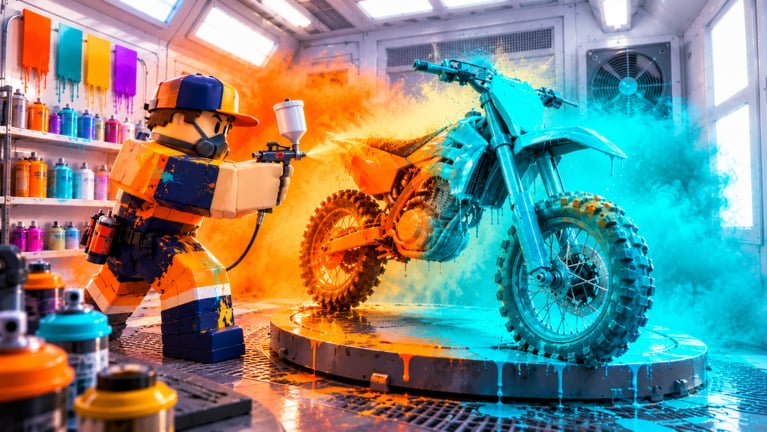
Controls in Make Bikes sit in two layers: workshop interaction (crates, bay, paint, sell, staff) and on-bike riding (throttle, brake, lean, wheelies, tricks, and combo chains). This guide is a practical checklist for PC and mobile players, not a frozen keybind bible. Make it Interactive can retune prompts after patches, Roblox device profiles differ, and custom binds in settings can override defaults. Always confirm live labels in the experience after you spawn.
Use this page with Getting Started for the first-hour loop, Riding and Tricks for map timing, and How to Build Bikes when bay prompts feel unclear. Servers hold up to eight players since the October 2026 release, so expect contested map traffic while you learn inputs.
How to verify binds every session
Before you chase combos, open the in-game settings or controls panel and write down what your device actually shows for:
- Move / camera (walk around the workshop).
- Interact / prompt confirm (crates, bay mounts, paint, sell).
- Mount / dismount bike.
- Throttle, brake, and steer while seated.
- Wheelie or balance modifier if shown separately.
- Trick / stunt actions used for combo chains.
- Reset, respawn, or recover if you clip geometry.
If a label differs from a wiki note or an older screenshot, trust the live UI. Patch notes on updates sometimes change prompts; this checklist stays useful because it teaches what to look for, not a single key letter as absolute truth.
Workshop and HUD orientation
On foot, your job is throughput: order or open crates, assemble at the bay, paint, sell, hire staff, then exit toward riding maps. Scan the HUD for cash, goal or quest prompts, code or gift entry, and any workshop shortcuts. Keep starter goals visible until they clear—those prompts are how the game teaches the loop in order.
Practical workshop control habits:
- Face the station you intend to use before mashing interact; mis-aimed prompts waste seconds and can soft-stall a goal.
- Finish one prompt chain (mount part, confirm paint, complete sale) before opening a second menu.
- Do not leave a half-confirmed bay action to open codes or social gift flows mid-build. Redeem FIRSTGEAR and free gifts from the codes page when your hands are free.
- After hiring staff, note which stations still need your interact prompt so you know what only you can finish.
If the bay UI feels crowded, slow down. Most early mistakes are double-taps and cancelled prompts, not missing a secret hotkey. Deeper bay workflow lives in How to Build Bikes and Crates and Parts.
PC movement and camera
On keyboard and mouse, expect standard Roblox locomotion for walking the workshop: directional movement plus jump, with camera orbit from the mouse. Shift lock or an equivalent camera lock often helps once you mount a bike and need a stable rear view at speed. Enable whatever camera assist the settings panel offers if your wheelies feel floaty because the view drifts.
While building, zoom out enough to see the full bike silhouette so you do not miss an empty mount point. While selling or talking to staff UI, keep the cursor deliberate—accidental camera flicks cancel prompts on busy servers.
Treat any listed letter keys for tricks as candidates to verify, not gospel. Genre cousins often use modifiers for wheelies and number or letter slots for tricks, but Make Bikes may label those actions differently on your build. Sit on the bike once in a quiet corner of the workshop or a calm map stretch, press each candidate control, and note what the HUD acknowledges.
Mobile touch layout
On mobile, expect on-screen sticks or arrows for movement, plus contextual buttons for gas, brake, interact, and tricks. Thumb placement matters more than memorizing a wiki table: park your throttle thumb where you will not cover the road view, and keep brake reachable for panic recoveries on Sand Dunes and the MX Track.
Mobile tips that stay true across bind changes:
- Enlarge or rearrange touch controls in Roblox or game settings if available so interact and trick buttons are not stacked on the same thumb zone.
- Practice a full stop and a gentle wheelie in a safe area before Highway traffic.
- Avoid starting long combo attempts while a system prompt (goal complete, crate opened) is still on screen.
- If a button stops responding after a menu, remount the bike or re-enter the seat prompt; soft UI locks are common on touch.
Riding inputs: throttle, brake, lean, tricks
Riding pays through wheelies, tricks, and combos on Highway, Sand Dunes, Timber Ridge, and the MX Track. Regardless of exact keys, the skill stack is the same:
- Throttle — add speed without instantly looping a wheelie into a crash.
- Brake — dump speed and save a hold that went too far back.
- Steer / lean — keep the bike in the lane or landing corridor.
- Balance / wheelie control — tiny corrections, not panic mashing.
- Trick fire — discrete score events you chain into a combo.
- Dismount / reset — exit cleanly or recover after a clip.
Learn throttle and brake first. Then add a stable wheelie. Only then chain a single safe trick. Combos are connected successes; a failed landing usually kills the stylish part of the run. Full map roles and when rides beat bay cycles are covered in Riding and Tricks and How to Make Money.
Combo practice without fighting the UI
Pick one map and one goal. Highway favors longer wheelie lines; Sand Dunes punish sloppy landings; Timber Ridge mixes trail rhythm; the MX Track rewards jump timing. Before you leave the workshop, confirm no painted bike is waiting on a buyer and that staff cover what they can—see Staff and Starter Goals for keeping the bay warm.
During the run, watch the HUD for combo or score feedback. If an input does nothing, stop spamming: check whether you are still in a menu, whether the bike is grounded or airborne for that trick, and whether settings rebound the action. End a combo intentionally when terrain turns hostile instead of forcing one more flip into a crash.
Controller and mixed-input notes
If you play on a gamepad or mix keyboard with controller, bind confirm and cancel carefully so workshop prompts do not share the same face button as a mid-ride trick. Sit, stand, mount, and dismount should feel distinct. After any Roblox client update, re-check the controls tab once—platform overlays sometimes reset custom maps.
Pre-ride controls checklist
- Confirm cash and goals are readable on the HUD.
- Verify interact works on crate, bay, paint, and sell.
- Mount a bike you trust; test throttle, brake, and steer for two seconds.
- Confirm wheelie or balance input and one trick input fire correctly.
- Know how to dismount and how to recover if you fall through a map edge.
- Choose Highway, Sand Dunes, Timber Ridge, or MX Track with that control comfort in mind.
After you return
Bank ride cash, reopen the bay, and resume assemble-paint-sell. If a control felt wrong outdoors, fix it in settings before the next loop rather than blaming parts. Stronger rare or mutated pieces from crates help, but they do not replace clean inputs—compare keepers later on the tier list, best parts, and best builds.
For session planning tips and common mistakes, read Tips and Mistakes. For workshop growth toward Godspeed Gold, open Rebirth and Workshop. Browse the Guides Hub, wiki overview, players, and scripts as needed. Master controls the same way you master the bay: deliberate reps, verified prompts, no wasted motion.
Frequently Asked Questions
Quick answers for Make Bikes players.
What are the exact Make Bikes keybinds?
Exact keys can vary by device, Roblox settings, and patches. Use this guide as a checklist of actions to verify in the live controls or settings panel after you spawn rather than treating any single letter as absolute truth.
Should I learn workshop prompts or riding inputs first?
Learn workshop interact prompts first so you can finish one assemble-paint-sell cycle. Then verify throttle, brake, wheelie, and one trick input before long map sessions.
Do mobile controls support wheelies and tricks?
Yes. Mobile uses on-screen driving and trick buttons. Arrange touch controls so throttle, brake, and trick actions are reachable without covering your view, then practice a clean stop before Highway runs.
Why did my trick button stop working mid-ride?
Check for open menus, grounded versus airborne requirements, remapped settings, or a soft UI lock after a prompt. Remount the bike and re-test each action in a safe area.
Which map is best while I am still learning controls?
Highway is usually the calmest place to practice stable wheelies and simple combos. Sample Timber Ridge, Sand Dunes, and the MX Track after landings feel consistent.
Where should I go after the Controls Guide?
Open Riding and Tricks for map roles, Tips and Mistakes for early errors, and Getting Started if you still need FIRSTGEAR, starter goals, and the first sale sequence.